Learn how to design and develop an inclusive learning environment by adopting a process of selection and implementation of augmentative/alternative communication systems using a multi-tiered system of supports.
Learning Objectives
Define the Specific Language System First Approach to AAC
Explore the evidence base for adopting and implementing the Specific Language System First Approach to AAC
Examine the connections between a Multi-Tiered System of Supports and the Specific Language System First Approach to AAC
School districts often struggle to develop consistent practices for meeting the assistive needs of students receiving special education services. This fun yet professional book will help PK-12 educators learn a process to improve how they consider, select, and implement technology to help all students!
This book:
Provides a methodology for transforming educators into experience designers by adopting a mindset of inclusive practices.
Details how an educational team can effectively request assistance to determine technology needs.
Explains how to provide assistance by coaching an educational team through a process to make informed decisions about technology needs.
Describes a proactive approach to professional development for individuals and for those who train others on the use of technology.
Assists individuals or teams in creating an action plan for developing a culture of inclusion.
Interweaves stories, songs, games, activities and other exciting features to make the experience of reading the book fun!
The New Assistive Tech is a catalyst for breaking down walls between special education and general education, and will help all educators realize they have tech knowledge (and can build upon that knowledge) that can be used to support all students, including those with disabilities.
School districts often struggle to develop consistent practices for meeting the assistive needs of students receiving special education services. This fun yet professional book will help PK-12 educators learn a process to improve how they consider, select, and implement technology to help all students!
This book:
Provides a methodology for transforming educators into experience designers by adopting a mindset of inclusive practices.
Details how an educational team can effectively request assistance to determine technology needs.
Explains how to provide assistance by coaching an educational team through a process to make informed decisions about technology needs.
Describes a proactive approach to professional development for individuals and for those who train others on the use of technology.
Assists individuals or teams in creating an action plan for developing a culture of inclusion.
Interweaves stories, songs, games, activities and other exciting features to make the experience of reading the book fun!
The New Assistive Tech is a catalyst for breaking down walls between special education and general education, and will help all educators realize they have tech knowledge (and can build upon that knowledge) that can be used to support all students, including those with disabilities.
Back at ATIA 2017, I was invited to record a video for the Cerebral Palsy Foundation as part of their ongoing video series. I chose to talk about a concept called the Least Dangerous Assumption authored by Anne Donnellan and expounded upon on Cheryl Jorgensen in a follow-up article. The Foundation then took my raw footage and turned into something watchable (and, I hope if you like it, also shareable). Here’s the final cut! I hope I did the concept justice.
Here’s a big thank you to the Foundation for inviting me to record the video and to Karen Janowski for connecting us! Thank you Karen!
Episode #155 features a recording of a conversation between Chris and his wife Melissa which takes place during a baby sitting session. The episode explores early language development and describes the strategy of Aided Language Stimulation (ALgS) necessary for teaching language to a user of augmentative/alternative communication.
A.T.TIPS in this Episode –
A.T.TIP #488: Model on the AAC device.
Also, here’s a video that explains Aided Language Stimulation:
This episode of the A.T.TIPSCAST is sponsored by Texthelp, provider of the award-winning Read&Write software solutions. Click on the banner above to learn about the amazing Read&Write products.
Episode Overview –
Episode #154 features a discussion on the concept of using motor plans and motor memory to become automatic at using an AAC device.
A.T.TIPS in this Episode –
A.T.TIP #486: Plan for motor memory right from the onset of device implementation.
A.T.TIP #487: Don’t mess with the motor plan once established.
Attribution Notification – Portions of the following musical tracks were used in this episode:
This episode of the A.T.TIPSCAST is sponsored by Texthelp, provider of the award-winning Read&Write software solutions. Click on the banner above to learn about the amazing Read&Write products.
Episode Overview –
Episode #149 explores the idea that the cultural perception of school is a miserable experience that people need to trudge through rather than actively enjoy and suggests ways to change that perception.
A.T.TIPS in this Episode –
A.T.TIP #476: The C.U.R.R.E acronym (Curiosity, Uniqueness, Risk-Taking, Real World, and Enjoyment)
One-day Pre-conference –Evolution of an AT Team: Real World Experiences Shaping Practices (with Sally Norton-Darr, Stacy McBain and Mark Nichols) REGISTER NOW!
ISAAC Conference in Toronto, Canada – August 2016
AAC Practitioners in the 21st Century: Leveraging Our Efforts through Social Media and Digital Technologies (with Carole Zangari)
This episode of the A.T.TIPSCAST is sponsored by Texthelp, provider of the award-winning Read&Write software solutions. Click on the banner above to learn about the amazing Read&Write products.
Episode Overview –
Episode #141 features a discussion of how collection and analysis of student data can be simplified and streamlined using Google Forms.
A.T.TIPS in this Episode –
A.T.TIP #457: Data Collection Using Google Forms
Sample of Google Form for Collecting Data on Progress Toward Student Goals
This episode of the A.T.TIPSCAST is sponsored by Texthelp, provider of the award-winning Read&Write software solutions. Click on the banner below to learn about the amazing Read&Write products.
Use promotion code ATTIPS14SAVE10 to get
10% off online orders of Read&Write!
Cannot be combined with other offers. Offer expires March 31, 2014.
Episode Overview-
Episode #129 features a reading of the blog post below which outlines challenges with the current definition of an assistive technology device and proposes a new way to define the term. I didn’t want to wait to record the audio to get these ideas across so the text below came out one day before the audio was posted.
Redefining “Assistive Technology Device”
by Christopher Bugaj
There is a problem with the definition of an assistive technology device. I am, someone who hosts a podcast, has co-written a book, authored an app, has a job title, and works in a profession which all use the common term “assistive technology” in the title, and yet I wonder if we either need to eliminate the term or, at least, redefine it.
Let’s start by quoting the definition of an “assistive technology device” as it stands with regards to education.
An “assistive technology device” is defined by education law as “any item, piece of equipment, or product system, whether acquired commercially off the shelf, modified, or customized, that is used to increase, maintain, or improve the functional capabilities of a child with a disability.”
Let’s focus on the verb. I believe the verb is the crux of the problem with the definition. The verb in question is “used”.
Let’s put that into play with a made up example juxtaposing two students; one with a disability and one without. For the purposes of the example, I’m going to use a made up piece of technology and a generic task, because the tools and task don’t matter. It doesn’t matter whether the tool is high tech or low tech in relation to the definition.
Here’s the example:
“A student without a disability uses a flibbertyjibbet to learn math”. – We call the flibbertyjibbet “technology”.
“A student with a disability uses a flibbertyjibbet to learn math”. – We call the flibbertyjibbet “assistive technology”.
Both students are using the flibbertyjibbet to increase, maintain, or improve his or her functional math capabilities. The only difference between the two is that one has a disability and the other does not.
When used in this way, the term “assistive technology” spotlights the disability and is ultimately discriminatory.
Now, how about a real example, with a real piece of technology (just in case I lost you with the flibberyjibbet)?
“A student without a disability uses a keyboard to author his essay.” – We call the keyboard “technology”.
“A student with a disability uses a keyboard to author his essay.” – We call the keyboard “assistive technology”.
The only difference between the two students using the device, whatever that device might be, is that the student with the disability might require the device to complete the task where the student without the disability might not require it.
That is, a student with a disability might NEED the keyboard to author the essay where the student without the disability might only prefer to use the keyboard to author the essay despite having the ability to complete the task in other ways.
The need to use a tool is the difference.
So, what do we do to fix this problem with the definition?
I think there are two potential solutions.
Option 1 – Abandon the use of the term “assistive technology” and just call it “technology”. I tweeted a similiar message on Super Bowl Sunday of 2014 immediately after the Microsoft #empowering video aired.
You can watch the ad at http://bit.ly/msempoweringvideo. The point of the ad, besides selling Microsoft products, was to demonstrate how technology can be used to empower individuals, whether you have a disability or not.
The option to eliminate the term “assistive technology” would be hard pressed and wrought with pitfalls. I’m not saying it would be impossible, especially if everyone agreed this was the correct thing to do in the long run, but entire organizations, institutions, careers, professions, and college programs have been built around the term. It is an established “thing” and “things” are hard (not impossible) to change. Myriad questions about funding sources arise as well, as pointed out by some colleagues with whom I correspond via social media. If the term is too well established to be abolished, what else can be done?
That brings us to Option 2.
Option 2 – Redefine “assistive technology device” to use the verb “requires” or “needs”. What if the definition of an assistive technology device read “Any item, piece of equipment or product system, whether acquired commercially off the shelf, modified, or customized, that is required to increase, maintain, or improve the functional capabilities of children with disabilities.”?
Wouldn’t that be a better definition?
Using this definition, any item used by a student, whether they have a disability or not, would just be considered “technology”. Any item necessary to increase, maintain, or improve the functional capabilities of the student would be considered “assistive technology”.
Are there repercussions I’m not thinking of when proposing the change in the verb in the definition from “used” to “requires” or “needs”?
At the very least the definition should be changed because the nouns “technology” and “device” are synonyms, making the term “Assistive Technology Device” redundant, right? 🙂
What are your thoughts? I’d love to read them publicly in the comments below or you can e-mail me privately at attipscast@gmail.com.
A.T.TIPS in this Episode –
A.T.TIP #417 – Redefining “Assistive Technology Device” swapping the verb “used” for the verb “required”.
Upcoming Presentations –
ISTE SIGML Second Life and TweetChat –
Mobilize your Productivity with iOS7 Accessibility Options – Tips and Tricks for All! -March 24th with Mark Nichols
8:00pm – 9:00pm ET Second Life Presentation, 9:00pm – 10pm ET Tweetchat
This episode of the A.T.TIPSCAST is sponsored by Texthelp, provider of the award-winning Read&Write software solutions. Click on the banner below to learn about the amazing Read&Write products.
Use promotion code ATTIPS14SAVE10 to get
10% off online orders of Read&Write!
Cannot be combined with other offers. Offer expires March 31, 2014.
Episode Overview-
Episode #127 features a discussion of the benefits of inviting secondary students to listen to audio fiction.
This episode features a bumper from David Jackson from Lafayette, Indiana.
The A.T.TIPSCAST has been nominated in the category of “Best Podcasts or Google Hangouts“. Also, ATEval2Go has been nominated in the category of “Best Mobile App“! Please vote to bump them up the rankings. Share with your colleagues, friends, and family!
Click the logos to vote!
Click on the little arrow below the A.T.TIPSCAST or ATEval2Go logos to vote! You should see the number go up by one. See the image below.
This episode of the A.T.TIPSCAST is sponsored by Texthelp, provider of the award-winning literacy solution Read&Write GOLD. To learn about Read&Write Gold and Texthelp’s suite of web apps click on the banner below!
Use promotion code ATTIPS13SAVE10 to get 10% off online orders of Read&Write GOLD!
Cannot be combined with other offers. Offer expires July 31, 2013.
Episode #119 features a review, including spoilers (you have been warned), of the new Superman movie, Man of Steel, and how it relates to contemporary assistive technology and educational practices.
This episode of the A.T.TIPSCAST is sponsored by Texthelp, provider of the award-winning literacy solution Read&Write GOLD. To learn about Read&Write Gold and their suite of web apps click on the banner below!
Use promotion code ATTIPS13SAVE10 to get 10% off online orders of Read&Write GOLD!
Cannot be combined with other offers. Offer expires May 31, 2013.
This episode of the A.T.TIPSCAST features a recording of the events that transpired in the attic of the Bugaj household on a stormy night in October 2012 which involves electricity, a tablet computer, some spare parts, and (of course) some strategies that can help students.
Episode #103 of the A.T.TIPSCAST describes ATEval2Go; an iPad app designed to help professionals conduct assistive technology consultations and evaluations.
This episode of the A.T.TIPSCAST is sponsored by Texthelp Systems, provider of award-winning literacy solutions including Read&Write GOLD and Fluency Tutor. To learn about these products and their new suite of web apps go to www.texthelp.com.
Episode #85 features the first of two episodes describing the use of websites featuring activities which utilize webcams to engage students through interactive, gesture-based activities.
This episode of the A.T.TIPSCAST is sponsored by Texthelp Systems, provider of award-winning literacy solutions including Read&Write GOLD and Fluency Tutor. For more information, go to www.texthelp.com.
Episode #80 features an interview with Mark Barlet, co-founder of the Ablegamers Foundation. Mark describes the goals of the foundation, how people can get involved to support the foundation, and shares some ways the foundation has helped people get their game on! This is the last episode of Season 4 of the A.T.TIPSCAST. Look for new A.T.TIPSCAST episodes in the Fall of 2011.
Leave a comment down below or drop me a line at attipscast@gmail.com. Let me know what you think of the show! You can access the podcast and register as a fan of the show from here:
This episode of the A.T.TIPSCAST is sponsored by Texthelp Systems, provider of award-winning literacy solutions including Read&Write GOLD and Fluency Tutor. For more information, go to www.texthelp.com.
Episode #79 features a discussion about the use of the free versions of some common interactive whiteboard software titles.
This episode also features a bumper from Becky Switalski who is encouraging people to submit photos to be shown on the big screen in Times Square to raise awareness for National Down Syndrome month and to kick off the Buddy Walk season. If you can, submit a picture for the presentation!
The question booklets for Volume 11, 12, and 13 are now available. If you’re new to the A.T.TIPSCAST and you’re not sure what that is, you can find out more by checking out the special episode about professional development posted back in May, 2009.
You can find the Question Booklets for every volume by clicking on the “Free PD Kits” link in the top right corner of this page.
Volume 11 (Episodes 67 – 68, Total Running Time 1:14:43)-
Leave a comment down below or drop me a line at attipscast@gmail.com. Let me know what you think of the show! You can access the podcast and register as a fan of the show from here:
This episode of the A.T.TIPSCAST is sponsored by the Intel Reader. Learn more about this handheld, portable device with built-in optical character recognition and text-to-speech technology at http://careinnovations.com/reader.
This episode features a brief description of optical character recognition (OCR) and features an interview with Steve Gallo from Intel – GE where we talk about the implementation of the Intel Reader for students and in the classroom.
Leave a comment down below or drop me a line at attipscast@gmail.com. Let me know what you think of the show! You can access the podcast and register as a fan of the show from here:
This episode of the A.T.TIPSCAST is sponsored by The Practical (and Fun) Guide to Assistive Technology in Public Schools. Learn more at http://iste.org/chewat.
The Practical (and Fun) Guide to Assistive Technology in Public Schools
Episode #71 features a clip from a live presentation at Temple University where Beth Poss and I describe www.wallwisher.com.
Leave a comment down below or drop me a line at attipscast@gmail.com. Let me know what you think of the show! You can access the podcast and register as a fan of the show from here:
This episode of the A.T.TIPSCAST is sponsored by Texthelp Systems, provider of award-winning literacy solutions including Read&Write GOLD and Fluency Tutor. For more information, go to www.texthelp.com.
Leave a comment down below or drop me a line at attipscast@gmail.com. Let me know what you think of the show! You can access the podcast and register as a fan of the show from here:
Special Episode #5 features a quick introduction to podcasting with a little bit of Mardi Gras nonsense thrown in for fun. Melissa Bugaj, host of the Night Light Stories podcast, co-hosts the episode.
Upcoming Presentations-
ESBOCES Model Schools Technology Leadership Webinar Series
Practical AT – March 7th, 2011 – 8:00pm – 9:00pm with Sally Norton-Darr
UDL & Assistive Technology – April 4th, 2011 – 8:00pm – 9:00pm with Sally Norton-Darr
Leave a comment down below or drop me a line at attipscast@gmail.com. Let me know what you think of the show! You can access the podcast and register as a fan of the show from here:
This episode of the A.T.TIPSCAST is sponsored by The Practical (and Fun) Guide to Assistive Technology in Public Schools. Learn more at http://iste.org/chewat.
The Practical (and Fun) Guide to Assistive Technology in Public Schools
Episode #69 is features another recording of a live event from the Techknowledgy 2010 Conference in Richmond, Virginia. At that conference I presented a session called Alternative Professional Development. I use the term “presented” loosely because, although I was listed as the presenter, the session was more of an integrated brainstorming session. I was more of the moderator for the discussion than a presenter. During the session we tried to outline some of the common problems with staff development happening in public schools and then try to come up with some solutions. During the course of the discussion a bunch of great ideas were mentioned about how to address some of the problems with the typical professional development model. Furthermore, a number of concrete resources are mentioned that can be used to assist students. You can access the entire presentation as generated by the audience here: Alternative Professional Development Presentation from Techknowledgy 2010.
The episode also features a bumper from Rochelle Hamilton and Cindy Carmina who are educators from Prince William County, Virginia.
Leave a comment down below or drop me a line at attipscast@gmail.com. Let me know what you think of the show! You can access the podcast and register as a fan of the show from here:
This episode of the A.T.TIPSCAST is sponsored by Texthelp Systems, provider of award-winning literacy solutions including Read&Write GOLD and Fluency Tutor. For more information, go to www.texthelp.com.
Episode #68 features a round robin resource sharing event conducted during the Orlando ATIA 2011 Conference known as the “A.T. Smackdown.” Educators like Dave Hohulin, Karen Janowski, Brian Wojcik, and a host of others shared different tools that they have found useful to help educate students. With this go round, I got to be there in person to record the live event!
Also, I’d like to thank Eliza Anderson, for contributing the bumper at the beginning of the episode. You can check out the free newsletter/e-zine with information on how to subscrive and contribute over at http://atprogramnews.com
Special thanks to Dave Hohulin and Brian Dowd for sharing their notes of the event (which helped tremendously in putting the list below together).
Leave a comment down below or drop me a line at attipscast@gmail.com. Let me know what you think of the show! You can access the podcast and register as a fan of the show from here:
This episode of the A.T.TIPSCAST is sponsored by Texthelp Systems, provider of award-winning literacy solutions including Read&Write GOLD and Fluency Tutor. For more information, go to www.texthelp.com.
Episode #67 features a recording of a live event from a presentation Beth Poss and I did at Temple University back in November of 2010. Beth and I are doing a Pre-Conference Workshop – UDL 2.0 Hands on! on January 26th from 8:00 am – 4:00 pm. Sign up and join us for a day of interactive fun! The episode also features a bumper from Sean Sweeney. Check out his Edublog Award Winning blog www.speechtechie.com.
Leave a comment down below or drop me a line at attipscast@gmail.com. Let me know what you think of the show! You can access the podcast and register as a fan of the show from here:
This episode of the A.T.TIPSCAST is sponsored by Texthelp Systems, provider of award-winning literacy solutions including Read&Write GOLD and Fluency Tutor. For more information, go to www.texthelp.com.
Episode #65 features a round robin resource sharing event conducted during the Chicago ATIA 2010 Conference known as the “A.T. Smackdown.” Educators like Dave Hohulin, Karen Janowski, Brian Wojcik, Patrick Black, and host of others shared different tools that they have found useful to help educate students. Lucky for us they had the foresight to make an audio recording of the event! You can check out a full list with brief descriptions of each tool over at http://teachingall.blogspot.com.
Leave a comment down below or drop me a line at attipscast@gmail.com. Let me know what you think of the show! You can access the podcast and register as a fan of the show from here:
This episode of the A.T.TIPSCAST is sponsored by Texthelp Systems, provider of award-winning literacy solutions including Read&Write GOLD and Fluency Tutor. For more information, go to www.texthelp.com.
When Chris and Melissa wake up in a strange room after a Halloween party they meet the notorious Saber Saw who asks them if they want to play a game. Will they win?
Leave a comment down below or drop me a line at attipscast@gmail.com. Let me know what you think of the show! You can access the podcast and register as a fan of the show from here:
This episode of the A.T.TIPSCAST is sponsored by Texthelp Systems, provider of award-winning literacy solutions including Read&Write GOLD and Fluency Tutor. For more information, go to www.texthelp.com.
Episode #61 features a description of two virtual classroom layout tools. This is the first episode of Season 4 of the A.T.TIPSCAST!
This episode of the A.T.TIPSCAST is sponsored by Texthelp Systems, provider of award-winning literacy solutions including Read&Write GOLD and Fluency Tutor. For more information, go to www.texthelp.com.
Episode #60 features a description of three random recommendations from actual evaluations. This is the Season Finale for Season 3 of the A.T.TIPSCAST!
This episode of the A.T.TIPSCAST is sponsored by Texthelp Systems, provider of award-winning literacy solutions including Read&Write GOLD and Fluency Tutor. For more information, go to www.texthelp.com.
Episode #58 features a description of how teachers and students can turn text into short, engaging video segments.
This episode of the A.T.TIPSCAST is sponsored by Texthelp Systems, provider of award-winning literacy solutions including Read&Write GOLD and Fluency Tutor. For more information, go to www.texthelp.com.
Episode #57 features a description of two resources to help students with spelling. The first tool helps students while studying spelling words and the second tool helps students fix misspellings.
A.T.TIPS In This Episode-
A.T.TIP #98: Spell with Flickr (http://metaatem.net/words/) – The image spelling “ATTIPSCAST” above was created using this website.
A.T.TIP #99: Correct a Sentence Window on http://gingersoftware.com. Try copying and pasting the following sentence into the window on the Ginger Software site:
“Mi smrt phrend iz reedng a booc wth an oarng cvr.”
Presentation Information –
Miss the presentation in Second Life of “Fun and Practical Strategies using (Assistive) Technology with Students”? No sweat! Here’s a link to the Google Doc with all the resources shared! Feel free to add more while you’re there!
Leave a comment down below or drop me a line at attipscast@gmail.com. Let me know what you think of the show! You can access the podcast and register as a fan of the show from here:
This episode of the A.T.TIPSCAST is sponsored by Texthelp Systems, provider of award-winning literacy solutions including Read&Write GOLD and Fluency Tutor. For more information, go to www.texthelp.com.
Episode #53 features a discussion about the high contrast feature of Microsoft Windows as a tool to help students access on-screen information.
This episode of the A.T.TIPSCAST is sponsored by Texthelp Systems, provider of award-winning literacy solutions including Read&Write GOLD and Fluency Tutor. For more information, go to www.texthelp.com.
Episode #52 features a discussion about the use of puzzles and a classic set of toys from the 80s as educational tools to practice fine motor skills, enhance visual-spatial abilities, utilize logical reasoning skills, build vocabulary, and more!
Leave a comment down below or drop me a line at attipscast@gmail.com. Let me know what you think of the show! You can access the podcast and register as a fan of the show from here:
No new audio with this post. It is a blog only update to let you know that the Question Booklets for Volume 5, 6, and 7 are now available. If you’re new to the A.T.TIPSCAST and you’re not sure what that is, you can find out more by checking out the special episode about professional development posted back in May, 2009.
You can find the Question Booklets for every volume by clicking on the “Free PD Kits” link in the top right corner of the page.
Volume 7 (Episodes 45 – 49, Total Running Time 1:09:35)-
Episode #50 features a discussion about the educational uses of video conferencing.
The episode features a special segment from Claire, the daughter of one of my colleagues, and her friends who delivered the audio on a CD within a bowl full of Jell-O.
Episode #49 features a description of how to use the Autocorrect function of Microsoft Word as a way to practice errorless learning.
The episode features a bumper from Jeannette Van Houten, an assistive technology curriculum strategist from New Jersey. I was fortunate enough to meet Jeannette at ATIA 2010 in Orlando.
A.T.TIPS In This Episode-
A.T.TIP #75: Autocorrect in Microsoft Word
Step 1. Click on the Office Button
Step 2. Choose “Word Options”
Step 3. Select “Proofing” and then “AutoCorrect Options”
Step 4. Put the text you want to have replaced in the “Replace” box and the text you want to appear instead in the “With” box.
AutoCorrect in Word 2007
Or just watch this cool www.woopid.com tutorial I found on YouTube.com:
Leave a comment down below or drop me a line at attipscast@gmail.com. Let me know what you think of the show! You can access the podcast and register as a fan of the show from here:
Episode #48 features an interview with the free to use website Vozme.com. To my knowledge, this is the first time in history when a person actually got a sit-down interview with an actual website. Vozme.com and I discuss strategies for using the website to create .mp3 files from text.
The episode features a bumper from Christine Southard and Lisa Parisi who are two fifth grade inclusion teachers in Long Island, New York. I was fortunate enough to meet Christine and Lisa at NECC 09 and attend their presentation about the tools they use to differentiate instruction for the students in their classroom. It was at their presentation where I learned about Vozme.com.
Episode #47 features an interview with Proby Patel, a fourth year medical student at Ross University. Proby and I discuss strategies for managing the massive amounts of content students experience. Specifically, we discuss the uses of speed controls of digital media players to help students experience content faster.
Proby Patel
The episode features a bumper from Brian Wojcik who is the special education/assistive technology center coordinator at Illinois State University. For some reason the embed code isn’t working for the video of Brian’s bumper but you can watch it directly from here: Brian Wojcik Bumper.
A.T.TIPS In This Episode-
A.T.TIP #73: Variable Playback Speeds for Digital Media Players
In Windows Media Player, version 11, open the file you want to watch. Click on the Now Playing tab, then Enhancements, and then Play Speed Settings to control the playback speed.
Additional Resources Mentioned-
1. http://iste.org/setsig – The Special Education Technology Special Interest Group from the International Society for Technology in Education (also known as ISTE). The SETSIG’s website has a wiki with links to ongoing discussions about using technology for students in special education as well as a handy assistive technology primer.
Leave a comment down below or drop me a line at attipscast@gmail.com. Let me know what you think of the show! You can access the podcast and register as a fan of the show from here:
Episode #46 features another excerpt from the presentation for the Individual Differences in Learning Association in Howard County, Maryland. This excerpt describes WordTalk; a free text-to-speech plug-in for Microsoft Word.
The episode features a bumper from Karen Janowski who is an assistive technology consultant, an assistive technology specialist for a school district in Massachusetts, adjunct faculty member at Simmons College, and school board member in her town. She is also one of the innovators behind the UDLTechToolKit wiki, which contains a plethora of resources useful for differentiating instruction.
WordTalk is a free text-to-speech add-in for Microsoft Word. You can find all the details about which versions of Word it works with along with other frequently asked questions, installation instructions and more over at the WordTalk download page.
3. 2009 Edublog Award Winners – Congratulations to all of the winners! Let me recommend you head over there to check out all of the nominations and winners. The A.T.TIPSCAST placed seventh out of 26 in the category of “Best Educational Use of Audio“.
4. CliCk, Speak – A free, open source text-to-speech extension for the Firefox web browser.
5. Text-to-Speech in OpenOffice – Open Office is a free suite of programs including a word processing program. OO Text To Speech is a free download for this program.
6. Word Magnets – Type or paste text (words or letters) into a box that then makes each word (or letter) a separate moveable object. Perfect for word scrambles or sentence generation on an interactive whiteboard.
Leave a comment down below or drop me a line at attipscast@gmail.com. Let me know what you think of the show! You can access the podcast and register as a fan of the show from here:
Episode #45 features a brief breakdown of the skill of sequencing followed by a recording of a portion of a presentation I did for the Individual Differences in Learning Association in Howard County, Maryland.
3. Edublog Award Nomination – Vote for the A.T.TIPSCAST! The A.T.TIPSCAST was nominated for a 2009 Edublog Award in the category of “Best Educational Use of Audio“. Voting is open to the public and ends on December 16th, 2009. Even if you don’t vote, let me recommend you head over there to check out all of the nominations. The list of all those nominated in all of the different categories is a tremendous resource in itself, so I hope you check it out (and vote for the A.T.TIPSCAST)
Leave a comment down below or drop me a line at attipscast@gmail.com. Let me know what you think of the show! You can access the podcast and register as a fan of the show from here:
Episode #44 is up for your listening pleasure and boy is it a doozy! It clocks in at just under 42 minutes! Yikes! Episode #44 is kind of a unique episode because it features a recording of a live event. Back on November 14th I was lucky enough to attend the Powering Up with Technology Conference in Prince George’s County Maryland. At that conference I presented a session called Alternative Professional Development. I use the term “presented” loosely because, although I was listed as the presenter, the session was more of an integrated brainstorming session. I was more of the moderator for the discussion than a presenter. During the session we tried to outline some of the common problems with staff development happening in public schools and then try to come up with some solutions. During the course of the discussion a bunch of great ideas were mentioned about how to address some of the problems with the typical professional development model. Furthermore, a number of concrete resources are mentioned that can be used to assist students. You can access the entire presentation as generated by the audience here: Alternative Professional Development Presentation from PUWT09.
The episode also features a bumper from Robin Lesht who is a speech-language pathologist from Mount Prospect, Illinois. I met Robin at ATIA 09 where we shared different experiences working in the field of speech-language pathology.
A.T.TIPS In This Episode-
A.T.TIP #67: Document Holder from Inverted CD case and Alligator Clip
Many a student has strained their neck transposing a handwritten assignment onto the computer because the paper was flat on the desk. To alleviate the neck strain people started to use document holders so that they didn’t have to constantly shift their field of vision from the paper to the screen and back again. Sure, you could go out and spend money on a fancy, commercial document holder or you could take an unused CD case that you probably have lying around, flip it over so the hinged cover is upright and then fasten the paper to it with an alligator clip. Done and done, instant document holder.
This website provides over 1000 pre-made lessons/presentations on a wide variety of curricular topics. The media-rich presentations are similar to a PowerPoint presentation and each one is available to be viewed online via your web browser. Each presentation is useful as a pre-learning activity where students could be asked to independently review content before a class discussion, as an alternative source of content to complement or supplement another lesson, or as a follow-up/review activity at the end of a lesson.
This website allows you to create an animated talking head. Use text-to-speech or record a voice to have the voki speak the message. Vokis could be used by a teacher to introduce a lesson, give verbal instructions for an assignment, record reminders to students, provide feedback and more! Vokis could be used by a student as an alternative means of expression for presentations, practicing conversations, or demonstrating knowledge. Check out these ideas on how to use Voki in your classroom from The Edublogger.
This website allows you to upload a picture, select a portion of that picture that will move (usually a mouth), and then record a message. When the message is played back, the selected area will move in time with the message. Blabberize can be used in similar ways as Vokis. It could be used by a teacher to introduce a lesson, give verbal instructions for an assignment, record reminders to students, provide feedback and more! It could be used by a student as an alternative means of expression for presentations, practicing conversations, or demonstrating knowledge.
4. www.delicious.com – Social Bookmarking Site. Note that the A.T.TIPSCAST uses delicious to share resources on the left side of the page.
5. www.Prezi.com – A new and interesting way to create a presentation. Information is presented on one large canvas and you zoom into different areas of the canvas to view the information.
6. www.tinyurl.com – A useful way of making long URLs shorter. Shortened URLs are easier for users to remember (like www.tinyurl.com/nlsstories) and easier for people to type in if entering a URL from a piece of paper.
7. Tonyvincent.info – A link library of useful educational resources created by the keynote speaker of the conference, Tony Vincent. **Corrected from original post- Tony made a comment below sharing that the site he used to present at the conference was http://tonysite.info ***
8. Radio WillowWeb Podcast – Radio WillowWeb is a podcast for kids
and by kids from the students at Willowdale Elementary School in Omaha, Nebraska. Each new show is called a Willowcast. Each Willowcast can be heard on WillowWeb as an mp3 digital audio file.
9. ASHA Podcast – The American Speech-Language-Hearing Association’s podcast features interviews with different individuals making strides in the field of speech-language pathology and audiology
10. Quick Access Toolbar in Word 07 – Microsoft Word 07 features a quick access toolbar that can be customized, allowing for favorite tools to be shown and less used tools to be hidden. This feature helps to reduce clutter on the screen while highlighting to students some key/important features they could be using in Word.
If I don’t get to see you at NECC we can still connect virtually. Join the A.T.TIPPERS group on Facebook and/or Classroom 2.0 ! You can also follow me on twitter.com.
Leave a comment down below or drop me a line at attipscast@gmail.com. Let me know what you think of the show! You can access the podcast and register as a fan of the show from here:
Episode #43 is up for your listening pleasure! Episode #43 features some more feedback from listeners of the show. There was still too much feedback to fit it all into just this episode so you can expect to hear at least one more Listener Feedback episode in the future.
The focus of the Classroom Acoustic Coalition Facebook group is to bring about awareness about acoustics in the classroom. In the episode Signal-to-Noise ratio is mentioned as something to consider when working with students. The following are some other helpful resources about S/N and classroom acoustics:
This website allows you to quickly upload pictures and videos (.mpegs, .mpgs, .mp4, .mov, .avi, .wmv, .jpg’s and more) and then select from a number of free montage styles and music to create a nicely polished, professional looking, special effect ridden video. Once finished, the website generates a URL for your video that can be shared. The website is easy to use and would allow students to be able to create flashy presentations above and beyond just a simple slideshow. Plus, there is nothing to install. All of the controls and design occur right there on the website all for free. The only downside is that only some of the montages and music is free. For access to the complete library you need to become a premium member and pay a fee. Also, to export the video into another file format you need to be premium member. The following are some of the videos I’ve made using this website:
This website allows you to capture a video of whatever is happening on your screen. You can export videos as .swf files (flash) and .mov files, which means you can save the videos right down to your computer. You can choose to record the entire screen or record a rectangular area of the screen. Screentoaster.com is a great way to capture and share what a student has done on a computer and is also a great way to capture any lesson done on the computer. Also, a student could capture work they’ve done on a home computer to share back with teacher. It is also great for making short video tutorials providing directions for how to do something on the computer. Students could watch these videos over and over again as a way to have instructions repeated as many times as necessary.
If I don’t get to see you at NECC we can still connect virtually. Join the A.T.TIPPERS group on Facebook and/or Classroom 2.0 ! You can also follow me on twitter.com.
Leave a comment down below or drop me a line at attipscast@gmail.com. Let me know what you think of the show! You can access the podcast and register as a fan of the show from here:
Run! Run! Run for your lives! Episode #42 is up for your listening pleasure! Episode #42 features a visit to Count Edula’s mansion where he asks about some tools he can use to help organize his “hypothetical” zombie army. Chris’s suggestions just so happen to be useful tools to help students as well.
Google Earth lets you to zoom anywhere on Earth to view satellite imagery, maps, terrain, 3D buildings, from galaxies in outer space to the canyons of the ocean. Google Earth is a free software program you can download and install on your computer. When you launch the program you see a celestial view of the earth. On the left hand side you see a search window. Type in any location, hit the magnifying glass icon, and watch as you zoom to that location. Also on the left side of the screen you’ll find a section called “layers” click on any of the boxes there to add additional features to what you see in your search. So, for instance, if you select the “3D Buildings” layer when a 3 dimensional image of a building is available you will see that building in three dimensions. Try it by searching for any major city, like Chicago, and you’ll see a three-dimensional representation of tons of different buildings or try doing a search for one of the lighthouses along the Outer Banks. In more remote locations like those you can really see the difference between the 2 dimensional representations and the 3 dimensional representations. There is a street view layer that is awesome where you can see, where available, a 360 degree digital image as if you were standing at a given location. Students who have trouble visualizing how tall something is, or what something might look like, or how a structure might appear in real-life, can experience these places in a very tangential way. Using Google Earth before or after a field trip or community-based instructional trip can bring a totally new dimension to the learning experience. What’s nice about Google Earth is that it’s totally free. Students can download it at home to explore on their own. Again, this is just scratching the surface of what it can do as there are all different types of layers, including shipwrecks, weather conditions and forecasts, and global awareness.
Google Earth 5 allows you to create a tour by creating a movie. One of the icons is a little video camera. Just click on that video camera icon and then the little red record button that appears. Teachers can use this with students to give a little video tour of where they are going or where they have been. Students can also use this feature to demonstrate their knowledge. A student records themselves traveling from place to place in Google Earth to demonstrate they know how to get to a location from a location, that they know where on the globe an event occurred or where a place is actually located. You could even use it as an alternative way to tell a story. Instead of writing that essay on what they did over Winter Break, students can virtually take the teacher and other students to that location by showing it on Google Earth.
Mystudiyo.com is a website that allows you to create assessments using all sorts of different media. There are different assessment types to choose from, but the one that I think is easiest and most relevant to students is the multiple choice type of assessment. Once you choose your assessment type the website takes you through a series of questions to set-up your quiz. It’s like a quiz wizard that walks you through creation, step-by-step. You can choose from different looks of your quiz and you can add introductory media using text, an image, or video to give directions which is perfect for students who might have trouble reading instructions. You can also have text, an image or video accompany each question, which means you could read each question aloud and save it as a video to have a much more accessible assessment. At the end of the assessment a student can be presented with a scoreboard to see how well they did. Once you’ve finished creating your quiz the website generates a unique URL for your quiz. Take that URL and distribute it to students for them to take the quiz on your computers or, if possible, on their own home computers. See how well you can do on the quiz created by Count Edula for his zombie horde.
Shorttext.com allows someone to either type or copy/paste text directly into it. Then, once they are ready, they click on the “Create URL” button to make a URL for that text. In the future, they just go back to that unique URL to access that text again. It’s a handy way to save information. For instance, students who tend to lose things, like thumbdrives or assignments, can post it to Shorttext.com. Then, all they need is the URL to go get it. Unlike a thumbdrive, the URLs can be shared with a teacher or in a safe location that doesn’t get transported to and from school. There are some other tools on the net that might be better for organization of assignments and such, but shorttext.com has a very simple interface without lots of buttons or other functions. This makes it less intimidating, which is why I like it and which is why it might be perfect for some students and teachers. Check out a piece of intercepted correspondence from one of Count Edula’s zombie field generals.
Points of Interest:
Mentioned in the podcast is an article by the New York Times about Wikipedia’s new policy about editing entries about living people.
Also, if you haven’t seen this Common Craft How-to video, well, it might be worth your time to help you prepare for the impending apocalypse.
I hope to meet you at any or all of these presentations. But, if you can’t make it to those, and you’re interested in any of this (or other) content for workshops in your district please contact me at attipscast@gmail.com. We can work together to set something up either in person or virtually!
Leave a comment down below or drop me a line at attipscast@gmail.com. Let me know what you think of the show! You can access the podcast and register as a fan of the show from here:
Episode #41 is up for your listening pleasure! Episode #41 features some feedback from listeners of the show. There was too much feedback to fit into one episode so you can expect to hear more in the future.
The episode also features a bumper from Sally Norton-Darr and Judith Schoonover about the new version of CAST’s BookBuilder. Judith and Sally will be doing workshops on this at the following professional conferences if you’re interested in attending:
If I don’t get to see you at NECC we can still connect virtually. Join the A.T.TIPPERS group on Facebook and/or Classroom 2.0 ! You can also follow me on twitter.com.
Leave a comment down below or drop me a line at attipscast@gmail.com. Let me know what you think of the show! You can access the podcast and register as a fan of the show from here:
The next episode should be coming out shortly but, in the meantime, something strange happened. I received this strange invitation today when I got home from work. Check it out:
Well this was the big secret project I’ve been working on that I had mentioned in previous episodes. I introduce to you now “The Practical (and Fun) Guide to Assistive Technology in Public Schools: Building or Improving Your District’s AT Team” by Christopher Bugaj and Sally Norton-Darr. The book is being published by the International Society for Technology in Education (better known by the acronym ISTE) and will be available for pre-order in February March of 2010.
The Content:
As the title suggests the book provides strategies of building an assistive technology program in public schools. Answers to common questions such as “How do we consider AT for every student?”, “How does assistive technology get documented in an IEP?”, “What are some effective ways of working with Instructional Technology?”, “Who should be on an AT Team?”, “When and how do you write an AT evaluation report?”, “What is the most effect service delivery model?”, “How do you adequately follow-up with teachers and students?”, “How do you collect data and demonstrate progress?”, and “How do you build a comprehensive assistive technology program?” are all found in the book.
The Style:
The book is written in such a way that it is easy to use and fun to read. We wanted to create a book that wouldn’t feel like a chore to read. Therefore, the book is laced with engaging analogies and humorous stories which emphasize and clarify the points being made. In the future we hope to have some excerpts for you to sample, both in text and audio formats. Throughout the book we provide procedures that have not only been relatively easy to implement but also have proven exceptionally effective for us. In fact, that was kind of our mantra for the book, “If it’s working for us, why wouldn’t it work for you?”
More to Come:
I’ll be sharing more information in the coming weeks and month about purchase information, pricing, and how you can help spread the word about the book if you’re interested in helping out.
I hope to meet you at any or all of these presentations. But, if you can’t make it to those, and you’re interested in any of this (or other) content for workshops in your district please contact me at attipscast@gmail.com. We can work together to set something up either in person or virtually!
Leave a comment down below or drop me a line at attipscast@gmail.com. Let me know what you think of the show! You can access the podcast and register as a fan of the show from here:
Episode #40 is up for your listening pleasure! Episode #40 features an interview with Miss Mel, the host of the Night Light Stories podcast which features free original children’s stories! The episode also features a bumper from Nancy Stewart, the lead special education teacher at Avoca School District 37 in Wilmette, Illinois. You can check out her blog Mad Math Beyond Numberdome and her school blog.
If I don’t get to see you at NECC we can still connect virtually. Join the A.T.TIPPERS group on Facebook and/or Classroom 2.0 ! You can also follow me on twitter.com.
Leave a comment down below or drop me a line at attipscast@gmail.com. Let me know what you think of the show! You can access the podcast and register as a fan of the show from here:
No new audio with this post. It is a blog only update to let you know that the Question Booklets for Volume 4 are now available. If you’re new to the A.T.TIPCAST and you’re not sure what that is, you can find out more by checking out the special episode about professional development posted back in May.
The Resources:
Download these files to make your own staff development workshop out of the A.T.TIPSCAST!
Leave a comment down below or drop me a line at attipscast@gmail.com. Let me know what you think of the show! You can access the podcast and register as a fan of the show from here:
Episode #39 is up for your listening pleasure! Episode #39 describes different ways to utilize the Photo Album feature of Microsoft PowerPoint to facilitate digital storytelling. The episode features a discussion with the newly-improved, fan favorite, B-Bot!
A.T. TIPS In This Episode-
A.T.TIP #57: Photo Album Feature of PowerPoint
In PowerPoint 07 Photo Album can be found in the “Insert” tab. It is built right into this version.
Although there may be slight variations based on the version of PowerPoint you are using, the Photo Album feature of PowerPoint looks like this:
I’ll be presenting at the National Educational Computing Conference (NECC)- June 28th – July 1st in Washington, D.C. (Poster Session: Chew the P.H.A.T-Policies and How-to’s in Assistive Technology with Sally Norton-Darr).
Contact Information-
If I don’t get to see you at NECC we can still connect virtually. Join the A.T.TIPPERS group on Facebook and/or Classroom 2.0 ! You can also follow me on twitter.com.
Leave a comment down below or drop me a line at attipscast@gmail.com. Let me know what you think of the show! You can access the podcast and register as a fan of the show from here:
Episode #38 is up for your listening pleasure! Episode #38 features Part 2 of the interview with Chris Cummins, a high school English teacher and adjunct professor at the State University of New York at Fredonia who is currently teaching a class on Literacy and Technology. The second part of the interview focuses more on specific tools that can be used to create graphic organizers while also touching upon some ideas about implementing graphic organizers across the curriculum.
“The Visual Understanding Environment (VUE) is an Open Source project based at Tufts University. The VUE project is focused on creating flexible tools for managing and integrating digital resources in support of teaching, learning and research. VUE provides a flexible visual environment for structuring, presenting, and sharing digital information.”
A.T.TIP #56: Record Sound Feature of Inspiration (Not Free)
Students who can tell you a story (or explain an essay) orally but who have difficulty expressing those thoughts in a written format can use the “Record Sound” feature of Inspiration to complete writing assignments, like stories, essays, or essay questions on tests. The strategy involves the students recording one thought per cell in a web or outline created in Inspiration. Once they have recorded each sentence orally they can go back, listen to the sentence in the cell, and begin typing it in. Every time they get stuck with spelling or forget what they were going to type they can re-listen to their own recording to type it in. The following screenshots explain how to use the “Record Sound” feature of Inspiration.
Let’s say you have a graphic organizer that looks like this:
After selecting a cell, the student can record his voice by going here:
Once the student has selected “Record Sound” the following window will appear. Use the red record button to begin recording. Use the “Save” button to save the recording.
Once the sound has been saved the selected cell will display a “speaker” icon in the upper right hand corner. Double-click on this speaker icon to hear the recorded message as many times as necessary while the student types the words.
Additionally, teachers could use this feature to leave hints or reminder to students when developing a graphic organizing template.
Upcoming Conference Presentations-
I’ll be presenting at the National Educational Computing Conference (NECC)- June 28th – July 1st in Washington, D.C. (Poster Session: Chew the P.H.A.T-Policies and How-to’s in Assistive Technology with Sally Norton-Darr).
Contact Information-
If I don’t get to see you at NECC we can still connect virtually. Join the A.T.TIPPERS group on Facebook and/or Classroom 2.0 ! You can also follow me on twitter.com.
Leave a comment down below or drop me a line at attipscast@gmail.com. Let me know what you think of the show! You can access the podcast and register as a fan of the show from here:
Episode #37 is up for your listening pleasure! Episode #37 features Part 1 of a two part interview with Chris Cummins, a high school English teacher and adjunct professor at the State University of New York at Fredonia who is currently teaching a class on Literacy and Technology. During this first part of the interview Chris and I talk about a few different styles of graphic organizers as well as discuss how to implement graphic organizers in a high school setting.
I’ll be presenting at the National Educational Computing Conference (NECC)- June 28th – July 1st in Washington, D.C. (Poster Session: Chew the P.H.A.T-Policies and How-to’s in Assistive Technology with Sally Norton-Darr).
Contact Information-
If I don’t get to see you at NECC we can still connect virtually. Join the A.T.TIPPERS group on Facebook and/or Classroom 2.0 ! You can also follow me on twitter.com.
Leave a comment down below or drop me a line at attipscast@gmail.com. Let me know what you think of the show! You can access the podcast and register as a fan of the show from here:
Episode #36 is up for your listening pleasure! Episode #36 features a discussion about Book Builder by Sally Norton-Darr, Judith Schoonover, and Mark Nichols. They will be doing a presentation centering on the uses of Book Builder during the National Educational Computing Conference on June 29th. They are asking that you leave a comment on this blog post talking about how you use Book Builder, improvements you would like to see to Book Builder, or anything related to your experiences with the tool.
While you’re there, check out the book Sally and Judie created:
Support The Cause-
My colleagues will be riding in the local Tour De Cure on June 14th, 2009, sponsored by the American Diabetes Foundation. If you can donate, even a dollar, it would be much appreciated. Select the “donate” button on either website to make a donation.
Upcoming Conference Presentations-
I’ll be presenting at the National Educational Computing Conference (NECC)- June 28th – July 1st in Washington, D.C. (Poster Session: Chew the P.H.A.T-Policies and How-to’s in Assistive Technology with Sally Norton-Darr).
Contact Information-
If I don’t get to see you at NECC we can still connect virtually. Join the A.T.TIPPERS group on Facebook and/or Classroom 2.0 ! You can also follow me on twitter.com.
Leave a comment down below or drop me a line at attipscast@gmail.com. Let me know what you think of the show! You can access the podcast and register as a fan of the show from here:
Episode #35 is up for your listening pleasure! Episode #35 describes two websites that contain online painting programs. The episode also features a bumper from Julie Bisbee, a speech-language pathologist from San Juan County, New Mexico. Download the flyer for the Participatory Assistive Technology Conference being held on Monday, June 15th, 2009 at San Juan College. Also, mentioned in this episode is the “Accessing the Artist Within” project from the Anne Carlsen Center in North Dakota. Here is a link explaining the QIAT with a link to subscribe to the QIAT Listserv.
Check out the student created works over in the A.T.TIPSCAST Flickr Photostream
Support The Cause-
My colleagues will be riding in the local Tour De Cure on June 14th, 2009, sponsored by the American Diabetes Foundation. If you can donate, even a dollar, it would be much appreciated. Select the “donate” button on either website to make a donation.
Upcoming Conference Presentations-
I’ll be presenting at the National Educational Computing Conference (NECC)- June 28th – July 1st in Washington, D.C. (Poster Session: Chew the P.H.A.T-Policies and How-to’s in Assistive Technology with Sally Norton-Darr).
Contact Information-
If I don’t get to see you at NECC we can still connect virtually. Join the A.T.TIPPERS group on Facebook and/or Classroom 2.0 ! You can also follow me on twitter.com.
Leave a comment down below or drop me a line at attipscast@gmail.com. Let me know what you think of the show! You can access the podcast and register as a fan of the show from here:
Episode #34 is up for your listening pleasure! Episode #34 describes another strategy for assisting students who have trouble maintaining appropriate volume while speaking. The episode also features a bumper from my mom, Jackie Bugaj. I’d like to thank Thomas F., Doug G., Michael M., Christopher C., and Timothy C. for their contributions that can be heard at the end of the episode.
A.T.TIP #48: Digital Voice Feedback Modulators
Here are some videos that further explain how to use digital voice feedback modulators.
Visual Feedback For Volume Management:
Visual Feedback With Audacity:
My colleagues will be riding in the local Tour De Cure sponsored by the American Diabetes Foundation. If you can donate, even a dollar, it would be much appreciated. Select the “donate” button on either website to make a donation.
I’ll be presenting at these two upcoming conferences:
1. Teacher Researcher Conference – May 27th, 2009 in Fairfax, Virginia (Session on Strategy-A-Day Calendar on Teacher Desktops as an Agent of Change with technology resource teachers).
If I don’t get to see you at either of those conferences we can still get together virtually over the Internet. Join the A.T.TIPPERS group on Facebook and/or Classroom 2.0 ! You can also follow me on twitter.com.
Leave a comment down below or drop me a line at attipscast@gmail.com. Let me know what you think of the show! You can access the podcast and register as a fan of the show from here:
Episode #33 is up for your listening pleasure! Episode #33 describes a strategy for assisting students who have trouble maintaining appropriate volume, rate, or pitch when speaking. This episode is one of my contributions to Better Hearing and Speech Month by the American Speech-Language-Hearing Association. The episode also features a bumper from Speech Language Pathologist and Assistive Technology Specialist, Beth Poss. Check out the website www.matnonline.com for more information about the Maryland Assistive Technology Network as well as incredible resources related to assistive technology. I presented on the topic of Alternative Professional Development at the MATN conference which was held on May 7th, 2009. The presentation was an collaborative effort between myself and the audience. Here is a PDF of what we put together during the workshop: Alternative Professional Development Presentation from MATN on May 7th, 2009.
A.T.TIP #47: Voice Feedback Modulators
Here are some sample Voice Feedback Modulators
Voice Feedback Modulator #1
Voice Feedback Modulator Sample 1
Voice Feedback Modulator #2
Voice Feedback Modulator Sample 2
Classroom Voice Feedback Modulator
Classroom Noise Feedback Modulator
In a case you missed it, here is the link to the video I submitted for the Better Hearing and Speech Month Video Contest for 2009 titled “2 Minute Mouths“. I didn’t win, but I had tons of fun making it and I do think it could be useful to people of all ages.
My colleagues will be riding in the local Tour De Cure sponsored by the American Diabetes Foundation. If you can donate, even a dollar, it would be much appreciated. Select the “donate” button on either website to make a donation.
I’ll be presenting at these two upcoming conferences:
1. Teacher Researcher Conference – May 27th, 2009 in Fairfax, Virginia (Session on Strategy-A-Day Calendar on Teacher Desktops as an Agent of Change with technology resource teachers).
If I don’t get to see you at either of those conferences we can still get together virtually over the Internet. Join the A.T.TIPPERS group on Facebook and/or Classroom 2.0 ! You can also follow me on twitter.com.
Leave a comment down below or drop me a line at attipscast@gmail.com. Let me know what you think of the show! You can access the podcast and register as a fan of the show from here:
I’ve put together a professional development packet for you to download and use within your school or school district. Here is how it works.
The Problem:
Educators don’t have time to stay after school for staff development, but most, drive to work. Some educators may be reluctant to utilize new technologies, but most know how to operate a CD player. Educators are being asked to differentiate instruction to meet the needs of every learner every day.
The Solution:
The A.T.TIPSCAST is a free podcast that provides strategies to help educators differentiate instruction. As someone who organizes staff development workshops for your school or school district, download the episodes in each volume and burn them to a CD. Download the question booklet for that volume, print it out, and put it with your newly burned CD. Devise a method for distribution and then distribute to staff. E-mail me to get a copy of the answer booklet with all the answers in it. You’re done!
With minimal effort you’ve introduced three awareness level staff development workshops that educators can take without ever leaving their car! That’s over 3 and a half hours worth of professional development content at your fingertips with more to come as additional volumes of the A.T.TIPSCAST are completed (Volume #4 isin production now)!
The Resources:
Download these files to make your own staff development workshop out of the A.T.TIPSCAST!
Leave a comment down below or drop me a line at attipscast@gmail.com. Let me know what you think of the show! You can access the podcast and register as a fan of the show from here:
Episode #32 is up for your listening pleasure! Episode #32 is mostly an audio version of my guest blog post over at Patrick Black’s blog Teaching All Students. The post outlines a personal family experience while providing a number of ideas for gifts that could be given to students with severe disabilities. It is my hope that educators who find this useful will forward it onto families who will then share it with other family members. Embedded within the episode are a number of A.T.Tips as outlined below.
My colleagues will be riding in the local Tour De Cure sponsored by the American Diabetes Foundation. If you can donate, even a dollar, it would be much appreciated. Select the “donate” button on either website to make a donation.
I’ll be presenting at these two upcoming conferences:
If I don’t get to see you at either of those conferences we can still get together virtually over the Internet. Join the A.T.TIPPERS group on Facebook and/or Classroom 2.0 ! You can also follow me on twitter.com.
Leave a comment down below or drop me a line at attipscast@gmail.com. Let me know what you think of the show! You can access the podcast and register as a fan of the show from here:
Episode #31 is up for your listening pleasure! Episode #31 describes the diabolical event that happened to me on April 1st, 2009. It also describes different ways to you use packing peanuts as assistive technology tools or to support existing assistive technology tools.
A.T.TIP #43: Packing Peanuts
Also, check out these resources associated with the different ways mentioned to use packing peanuts.
If I don’t get to see you at either of those conferences we can still get together virtually over the Internet. Join the A.T.TIPPERS group on Facebook and/or Classroom 2.0 ! You can also follow me on twitter.com.
Leave a comment down below or drop me a line at attipscast@gmail.com. Let me know what you think of the show! You can access the podcast and register as a fan of the show from here:
Hey everyone,
Episode #30 is up for your listening pleasure! Episode #30 is the second of a two-part feature on the top three things I learned at the National At-Risk Education Network (NAREN) Conference of 2009. Be warned, this episode is unlike most of the other episodes in that the tips described are more along the lines of “educational philosophy” rather than “strategy” but I felt they were well-worth discussing.
2. Brains.org – The website for people involved in the education and parenting of brains of all ages about practical classroom applications of current brain research by Dr. Kathie Nunley.
A.T.TIP #42: Putting students to work doing the work that schools need done
1. Student Volunteer Network – Originally started by three high school students this network provides a database of volunteer opportunities for students
If I don’t get to see you at either of those conferences we can still get together virtually over the Internet. Join the A.T.TIPPERS group on Facebook and/or Classroom 2.0 ! You can also follow me on twitter.com.
Leave a comment down below or drop me a line at attipscast@gmail.com. Let me know what you think of the show! You can access the podcast and register as a fan of the show from here:
Hey everyone,
Episode #27 is up for your listening pleasure! Episode #27 features the second and final part of the interview pertaining to transportation. During this part of the interview we brainstorm ideas for using technology during transportation for educational purposes.
A.T.TIP #38: Technology for Transport
Oh, and don’t forget about the conference that are quickly approaching. I’ll be at all of the following so I hope to see you there:
If I don’t get to see you at any of those conferences we can still get together virtually over the Internet. Join the A.T.TIPPERS group on Facebook and/or Classroom 2.0 !
Leave a comment down below or drop me a line at attipscast@gmail.com Let me know what you think of the show! You can access the podcast and register as a fan of the show from here:
Hey everyone,
Episode #26 is up for your listening pleasure! Episode #26 features the first of a two-part interview pertaining to transportation and education. During this part of the interview we discuss how transportation needs of students in special education are met in one of the largest cities in the world.
A.T.TIP #38: Technology for Transport
Also, the episode features a bumper from Sally Norton-Darr who I’ll be co-presenting a session called “Chew The P. H.A.T: Policies and How-to’s in Assistive Technology” with at three upcoming conferences. We hope to see you at any or all of the following:
If I don’t get to see you at any of those conferences we can still get together virtually over the Internet. Join the A.T.TIPPERS group on Facebook and/or Classroom 2.0 !
Leave a comment down below or drop me a line at attipscast@gmail.com Let me know what you think of the show! You can access the podcast and register as a fan of the show from here:
Hey everyone,
Episode #25 is up for your listening pleasure! Episode #25 discusses the creation of a Who’s Who? book that can be created for or with students which can be read over and over again to reinforce relationships, plan for transitions to new environments, or more. The episode suggests using the photos that arrive on holiday cards to help create the booklet.
A.T.TIP #37: Who’s Who Book
Also, I’ll be co-presenting a session called “Chew The P. H.A.T: Policies and How-to’s in Assistive Technology” at three upcoming conferences. I hope to see you at any or all of the following:
If I don’t get to see you at any of those conferences we can still get together virtually over the Internet. Join the A.T.TIPPERS group on Facebook and/or Classroom 2.0 !
Leave a comment down below or drop me a line at attipscast@gmail.com Let me know what you think of the show! You can access the podcast and register as a fan of the show from here:
Hey everyone,
Episode #24 is up for your listening pleasure! Episode #24 features an interview with George Washington University graduate student Chelsea Feist who is also interning at Brainline.org. Chelsea and I discuss how the resources on Brainline.org can help individuals, families and professionals learn more about Traumatic Brain Injury.
Leave a comment down below or drop me a line at attipscast@gmail.com Let me know what you think of the show! You can access the podcast and register as a fan of the show from here:
Hey everyone,
Episode #22 is up for your listening pleasure! Episode #22 describes different ways to use Google Maps to help students who participate in Community Based Instruction (CBI). Also, there is a special guest bumper from Dr. Penny Reed!
A.T.TIP #34: Google Maps for CBI
Here are some quick screenshot tutorials to help you navigate Google Maps:
You can look me up on Facebook and/or Classroom 2.0 and join the A.T.TIPPERS group on both!
Leave a comment down below or drop me a line at attipscast@gmail.com Let me know what you think of the show! You can access the podcast and register as a fan of the show from here:
No new audio content yet as I am still working my tail off on the top secret assistive technology project. In all seriousness I’ve been putting in at least 10 hours a week into the new project so I hope it is something you enjoy. Unfortunately, I haven’t had a spare minute to record new episodes of the A.T.TIPSCAST and I probably won’t be doing more until November or December. Meanwhile, something big just happened. The A.T.TIPSCAST just hit number 10 on Cyberears.com!
This means that it is the 10th most popular audio collection this month of shows hosted by cyberears.com.
The more time it gets on the front page of this website the more likely it is that someone will stumble upon the A.T.TIPCAST! To me, that is totally awesome and I’m a bit blown away. I hope this means that more people listen to the show and more people begin to use the strategies contained within! Thanks for all of your support and stay tuned as more will be coming in a few months. Thanks for your patience!
Hey everyone,
Episode #21 is up for your listening pleasure! Episode #21 describes the strategy of using the free, open source software Audacity to assist students in learning to become more fluent readers. Episode #21 also marks the beginning of Season Two of the A.T.TIPSCAST!
A.T.TIP #33: Audacity For Reading Fluency
Here are some helpful resources on using Audacity for Reading Fluency.
Also, don’t forget to look me up on Facebook and/or Classroom 2.0 and join the A.T.TIPPERS group on Facebook and on Classroom 2.0!
MISTAKE IN THE PODCAST! My “hosts” just informed me that I mistakenly said that you can plug a microphone into the 1/8″ HEADPHONE jack. What I MEANT to say was that you can plug your microphone into the 1/8″ MICROPHONE jack. Sorry about the mistake. The weird alien atmosphere in the ship is making it hard to think.
Leave a comment down below or drop me a line at attipscast@gmail.com Let me know what you think of the show! You can access the podcast and register as a fan of the show from here:
Hey everyone,
Episode #20 is up for your listening pleasure! Episode #20 describes the strategy of using a motivational plan to help reinforce appropriate behavior. Episode #20 also marks the end of Season One of the A.T.TIPSCAST. I’ll be taking a few weeks off due to other obligations but I will return before you know it with A.T.TIPSCAST Season Two!
A.T.TIP #32: Motivational Plans
Here are some more helpful resources on behavior/motivational plans.
Here is a link to the Juvenile Diabetes Research Foundation fund raising site to help raise money to find a cure for juvenile diabetes. Please donate even if it is just a dollar! Even the smallest amount can make the biggest difference.
Leave a comment down below or drop me a line at attipscast@gmail.com Let me know what you think of the show!
You can access the podcast and register as a fan of the show from here:
Hey everyone,
Episode #19 is up for your listening pleasure. May is “Better Hearing and Speech Month” and I haven’t mentioned it yet so far in the podcast, well, until this episode that is. So, to make up for my lack of advertising I discuss a technique used to elicit communication called Sabotage!
A.T.TIP #31: Sabotage!
Here are some more helpful resources/ideas on how to elicit communication from students.
Here is a link to the Cystic Fibrosis Foundation fund raising site. Please click on “Make a donation” and donate, even if it is just a dollar! Even the smallest amount can make the biggest difference.
One last thing, here is the link to the video of the family participating in the Cystic Fibrosis walk. I hope you enjoy it!
Leave a comment down below or drop me a line at attipscast@gmail.com Let me know what you think of the show!
You can access the podcast and register as a fan of the show from here:
Hey everyone,
Episode #18 is up for your listening pleasure. In Episode #18 AMORPHOUS visual schedules are discussed. Below are some examples of AMORPHOUS (or Non-linear) visual schedules.
A.T.TIP #30: Amorphous Visual Schedule:
An example that is more general- For a student that doesn’t need specific visuals, but still needs a visual schedule. Note the “Unexpected” visuals.
An example that is more specific- For a student that needs more specific visuals on the visual schedule. Note the “Unexpected” visuals.
All of these schedules were created using Boardmaker software. If you’re like, “Hey, what the heck is Boardmaker software?” check out Mayer-Johnson’s website.
Here is a link to the Cystic Fibrosis Foundation fund raising site. We’re doing the walk on May 18th, 2008 but you can continue to give even if you’re reading this after that date. Please click on the “Make a donation” button to donate! Even the smallest amount can make the biggest difference.
One last thing, here is the link the video of the river running through my backyard. I admit, up front, that it was way more exciting in real life than the video shows but the point was that it was unexpected, just like things that happen in a classroom everyday.
Hey everyone,
Episode #17 is up for your listening pleasure. In Episode #17 linear visual schedules are discussed. Below you will find examples of both horizontal and vertical linear schedules. Enjoy!
A.T.TIP #29: Linear Visual Schedules
Horizontal:
Vertical:
All of these schedules were created using Boardmaker software. If you’re like, “Hey, what the heck is Boardmaker software?” check out Mayer-Johnson’s website.
Here is a link to the Cystic Fibrosis Foundation fund raising site. Please click on the “Make a donation” button to donate! Even the smallest amount can make the biggest difference.
Hey everyone,
Episode #16 is up for your listening pleasure. In Episode #16 I answer questions from e-mails and voicemails submitted by “listeners” to the show. Four new A.T. TIPS are discussed in the show.
A.T.TIP #27: JUICYSTUDIO.COM for Website Readability Statistics
Here is the link to the Website Readability Statistic Tool. Make sure you scroll down a bit to see it. Simply place the URL of the website you want analyzed and hit “Calculate Readability”.
This online dictionary provides an auditory version of each word along with many cool games.
Here is a link to the Cystic Fibrosis Foundation fund raising site. Please click on the “Make a donation” button to donate! Even the smallest amount can make the biggest difference.
Hey everyone,
Episode #15 is up for your listening pleasure. Episode #15 describes how to create and implement a First-Then board with students who need help following directions or completing tasks.
Here are a few examples of first-then boards:
Here is a link to the Cystic Fibrosis Foundation fund raising site. Please click on the “Make a donation” button to donate! Even the smallest amount can make the biggest difference.
Hey everyone,
Episode #14 is up for your listening pleasure. Episode #14 features a description of television as an assistive technology tool. It describes a few shows and why they are good at what they do. Click on the names of the show to explore the website for that show. The shows discussed are as follows:
Here is a link to the Cystic Fibrosis Foundation fund raising site. Please click on the “Make a donation” button to donate! Even the smallest amount can make the biggest difference.
Hey everyone,
Episode #13 is up for your listening pleasure. Episode #13 features a description of Communication Bridges. A communication bridge is a way for students to talk about events that happened at school when they get home and talk about events that happened at home at school.
Here is one such example. Note that you can use visuals in replace of the lines or the text “PE, ART, Music” in the example below.
Today In School I…
Read this book: _______________
Worked on __________ in Math.
Learned about _________ in Social Studies.
Had this special: PE ART MUSIC
The thing I enjoyed the most today was:________________________
Last Night At Home I…
Read this book: _______________
Worked on __________ for homework.
Watched ____________ on TV.
Had ______________ for dinner.
The thing I enjoyed the most last night was:________________________
I hope you enjoyed the show and please feel free to leave a comment down below or drop me a line at attipscast@gmail.com
You can access the podcast from here:
Hey everyone,
Episode #12 is up for your listening pleasure. Episode #12 features a co-host, Mrs. B! Together we discuss how vocational tasks can be implemented for any student.
You can find examples of work jobs on the following websites:
I hope you enjoyed the show and please feel free to leave a comment down below or drop me a line at attipscast@gmail.com
You can access the podcast from here:
Hey everyone,
Episode #11 is up for your listening pleasure. Episode #11 describes the autosummarize feature of MS Word. I realize that the episode is just a quick rundown of how the feature works and I didn’t really get into what you’d use it for. I’m trying to keep the tips quick. So, I invite you to tell me how you might use this feature or tell me how you have already used the feature. Your story might just inspire someone else in how they could use it. Please send me an e-mail, record a message and send it to me or post a comment here.
You can find whole tutorials on autosummarize for your version of MS Word here:
I hope you enjoyed the show and please feel free to leave a comment down below or drop me a line at attipscast@gmail.com
You can access the podcast from here:
Sorry this post is up about 24 hours late, but here it is!
Episode #10 is up for your listening pleasure. Episode #10 describes the free software Talking Calculator. You can access a link for the free download from www.premierathome.com/products/TalkingCalculator.php.
Here is a screenshot of what it looks like once it is installed:
I hope you enjoyed the show and please feel free to leave a comment down below or drop me a line at attipscast@gmail.com
You can access the podcast from here:
Hey everyone,
Episode #9 is up for your listening pleasure. Episode #9 describes the free software add-on for PowerPoint called PowerTalk. PowerTalk is an open source, free download that reads the text on a PowerPoint presentation outloud. You can access a link for the free download from http://fullmeasure.co.uk/powertalk/.
Once you have it installed on your computer you simply navigate to your PowerPoint presentation file, right-click and then select “Narrate With PowerTalk”.
I hope you enjoyed the show and please feel free to leave a comment down below or drop me a line at attipscast@gmail.com
You can access the podcast from here:
This website is the personal website of a web designer named, Emily Change, out of San Francisco. There is so much out there and so many new web applications updating every day, this site can keep you up to date on the latest Web 2.0 applications.
This is a great resource to find free sounds. I think one under utilized activity for students with difficulties following directions or auditory processing difficulties is listening to and discriminating between sounds. Sounds can be used as story starters as opposed to the traditional text-based or picture based story starter. Sound effects can be used to enhance digital storytelling activities, movie making activities, or student produced podcasts. Adding these sounds might allow the students to feel like their production has a polished and fun quality.
Number 1- Mail Merge functions of Publisher to create Picture Dictionaries and Identification Cards
A teacher from Norfolk public schools named Jennifer Durkin presented on different ways she uses Publisher. One strategy she showed what how you could take lists of items in Excel and Merge them with templates created in Publisher to easily make picture dictionaries and identification cards. Picture dictionaries are a great way for students to review difficult spelling words, review vocabulary from any content area, or maintain their own “difficult for me to remember” list of words. Identification cards are also a useful tool for students with communication difficulties. The ID card might have saying on them like “My name is… and I am lost” or “Can you call my mom for me? My phone number is …”. I wrote Jennifer and she gave me permission to post her hand-outs here. vste-presentation-handout.pdf
I hope you enjoyed the show and please feel free to leave a comment down below or drop me a line at attipscast@gmail.com
You can access the podcast from here:
Number 5- www.prometheanplanet.com. You can download free ActivStudio lessons from this website. If you don’t have ActivStudio, you can download the free FlipChart Viewer from here: FlipChart Viewer
Number 4- www.picnik.com. A fun online, free photo editing tool. It is very easy to upload pictures, edit the pictures, and apply different effects to the pictures.
I hope you enjoyed the show and please feel free to leave a comment down below or drop me a line at attipscast@gmail.com
You can access the podcast from here:
Hey everyone,
Episode #6 is up for your listening pleasure. Episode #6 is the first episode with the new format. Let me know what you think. The tip for this episode is http://www.readplease.com/. Readplease is free piece of software that you can download. It is a text reader/talking word processor. That is, you can copy/paste text right into it and it will read it out loud. You can also type right into the program and it will read it aloud.
I hope you enjoyed the show and please feel free to leave a comment down below or drop me a line at attipscast@gmail.com
You can access the podcast from here:
Hey everyone,
Episode #5 is up for your listening pleasure. Episode #5 briefly explains the my take on the convergence of the educational concepts of Universal Design for Learning, Least Restrictive Environment, and Differentiating Instruction using Assistive Technology. I also explain that future episodes will have less me talking about the principles of AT practice in public schools in favor of trying to fit in two tips per episode. Please let me know what you think about the format change. Good thing or bad thing for the show, what’s your take?
The tip for this week’s episode is on “Pacing Boards”. Pacing Boards are simply circles used to facilitate language development. You can watch a short movie on Pacing Boards here : Keeping Pace
I hope you enjoyed the show and please feel free to leave a comment down below or drop me a line at attipscast@gmail.com
You can access the podcast from here:
Hey everyone,
Episode #4 is up for your listening pleasure. Episode #4 contains a short synopsis of my take on FETC 2008 as well as the top 5 things I learned at FETC 2008 (Florida Educational Technology Conference). During the show I mentioned that I would post some movies and links. I hope you enjoy them and find them useful in your teaching practice.
#5: Frequency of Web 2.0 Applications is Increasing In Education
#4: Classroom 2.0– Social Networking site for educators
#3: Using Your Noodle On The Moodle (Alan Taylor)- Presentation Style Can Be Free Form, Dynamic and Non-scripted/rehearsed
#2: The Amazing Math Toolbox For Teachers (Ian Prietz)- Handouts with links to math resources (some free)
#1: www.voicethread.com– Allows users to post a picture and allows other users to have access to leave voice comments or text comments on the margins surrounding that picture.
I hope you enjoyed the show and please feel free to leave a comment down below or drop me a line at attipscast@gmail.com
You can access the podcast from here:
Hey everyone,
Episode #3 is up for your listening pleasure. I hope you enjoyed the special guest, B-bot. Also, thanks to Eric from Texas for the bumper. If you’d like to make a bumper (a short audio file) I would love to hear it and include it into a future episode of the ATTIPScast.
Here is a link to a tutorial on how to access the readability statistics of Microsoft Word: http://office.microsoft.com/en-us/word/HP051896011033.aspx
And here is B-bot:
:
I hope you enjoy the show and please feel free to leave a comment here or drop me a line at attipscast@gmail.com
You can access the podcast from here:
The second episode is now up and ready for listening. You can find it on Cyberears.com (the link below) and you can find it on iTunes as well. This episode explores the varying ways districts have chosen to assign personnel to provide assistive technology services. The show also has a segment called “A.T. Tip of the Episode”. This tip is on how to use the sound record feature of Microsoft Word. You find a handy tutorial on this tip here: http://office.microsoft.com/en-us/word/HP052573441033.aspx.
I hope you enjoy the show and please feel free to leave a comment here or drop me a line at attipscast@gmail.com
You can access the podcast from here:
I just returned from sunny Orlando, Florida where I presented and participated in FETC 2008. FETC is the Florida Educators Technology Conference. I’m still gathering my notes from the different sessions I attended but as soon as I get that together I plan to do an episode related to “What I learned at FETC 2008” with content that is relevant to tools used to assist struggling students in the public schools.
Keep listening and I hope you are enjoying the show!
The very first episode of the A.T.TIPScast is now up and running. I just uploaded to Cyberears.com and sent it to iTunes for review. This episode is meant to be an introduction to the show. I hope you enjoy the show and please feel free to leave a comment here or drop me a line at attipscast@gmail.com
You can access the podcast from here:
Hello and welcome! If you are reading this blog it probably means you found the A.T.TIPS Podcast and have listened to an episode. The A.T.TIPS Podcast (A.T.TIPScast) is an acronym for Assistive Technology: Tools In Public Schools. The content of the show pertains to all and any technology (and I use that term in the broadest sense) or strategies used to assist struggling students in the K-12 environment.
Actually, at the time of this blog, I haven’t posted the first episode yet but I expect it to be up and active soon. I’m working on it! I hope you enjoy the podcast and I hope you leave a comment!













 Voting ends on December 18th, 2013




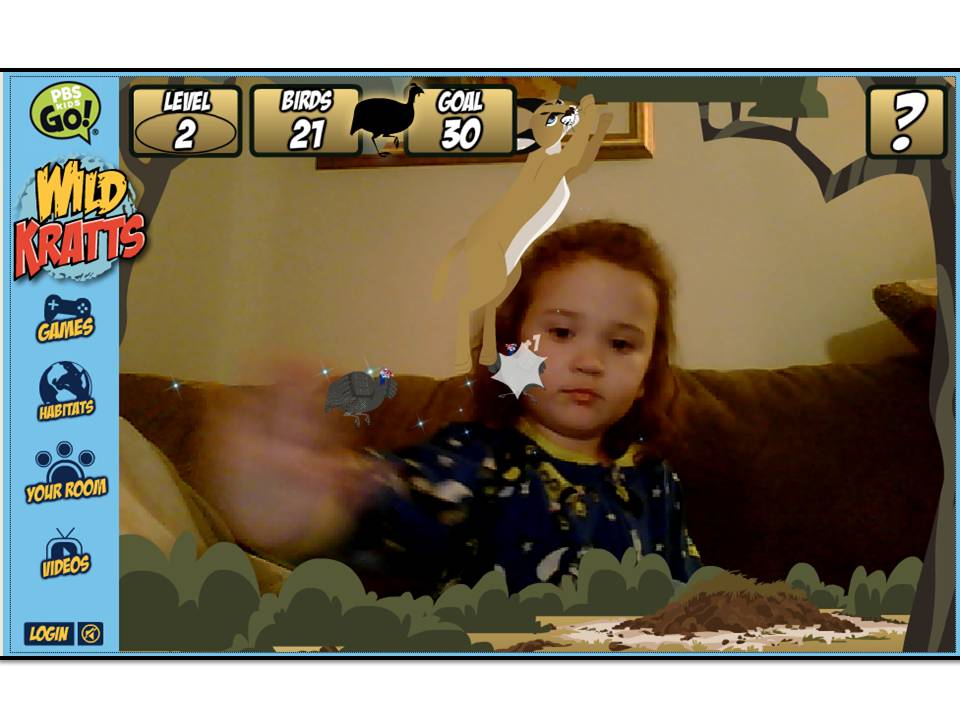




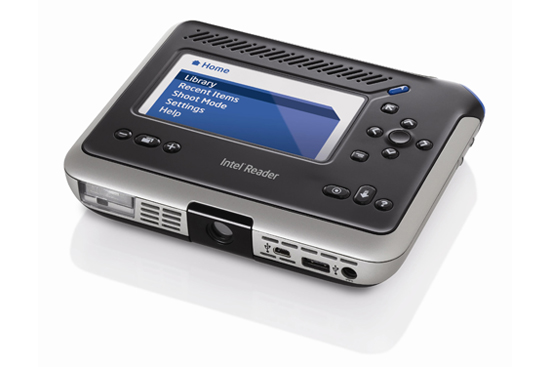
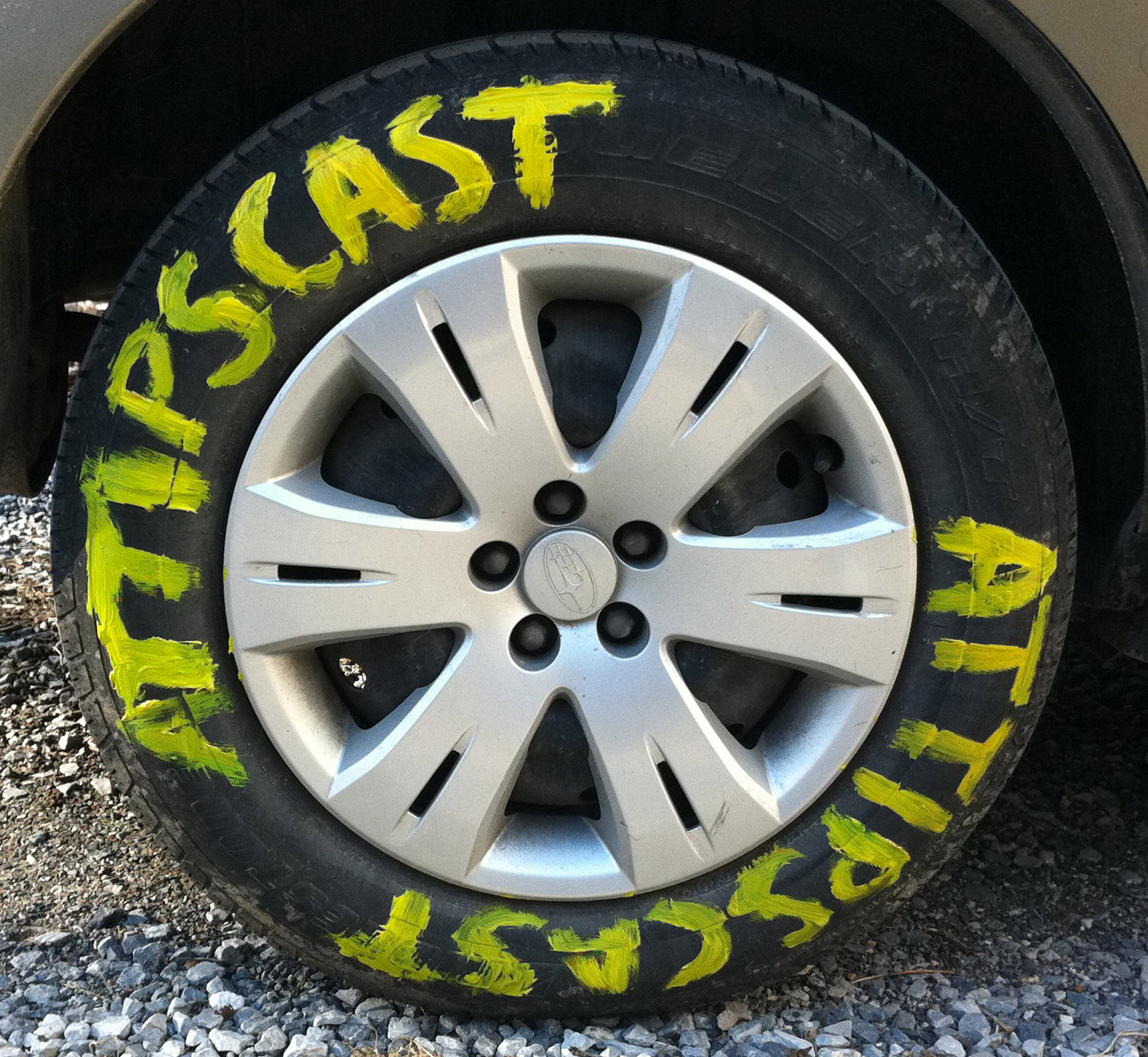







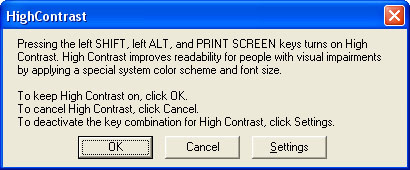
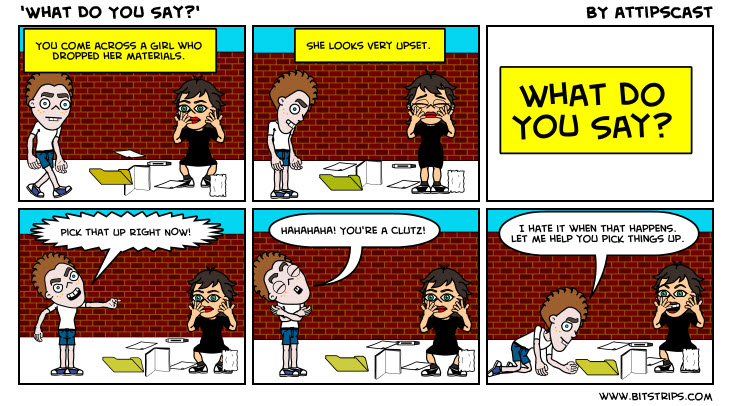


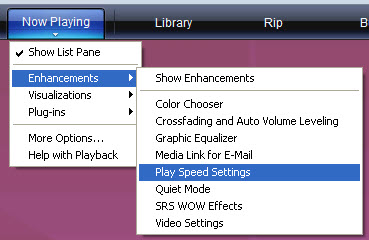
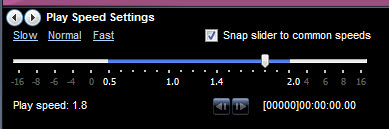


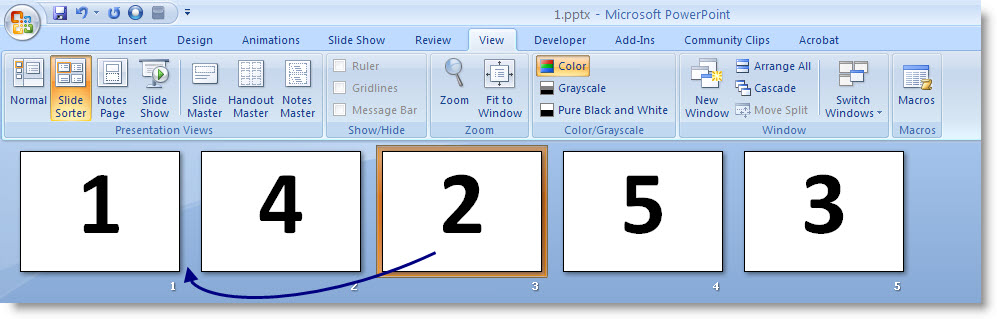

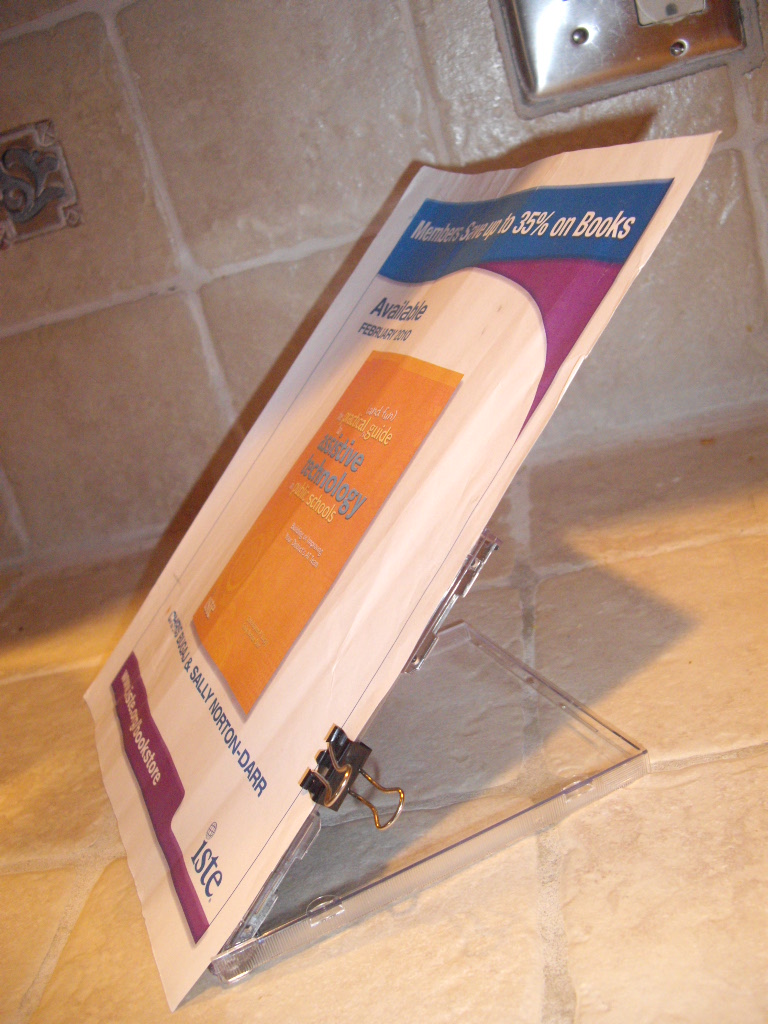
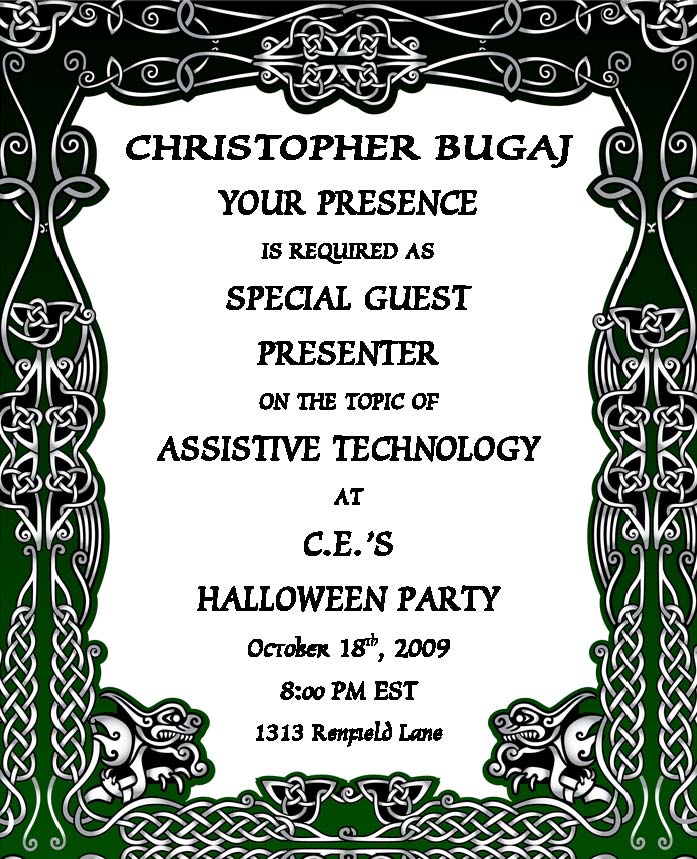

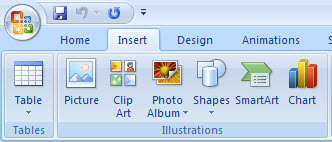


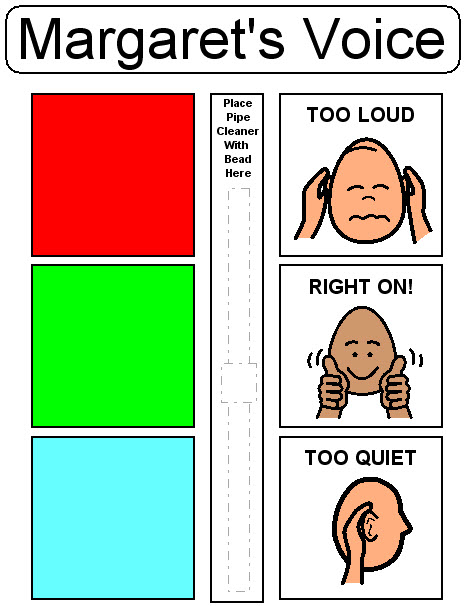


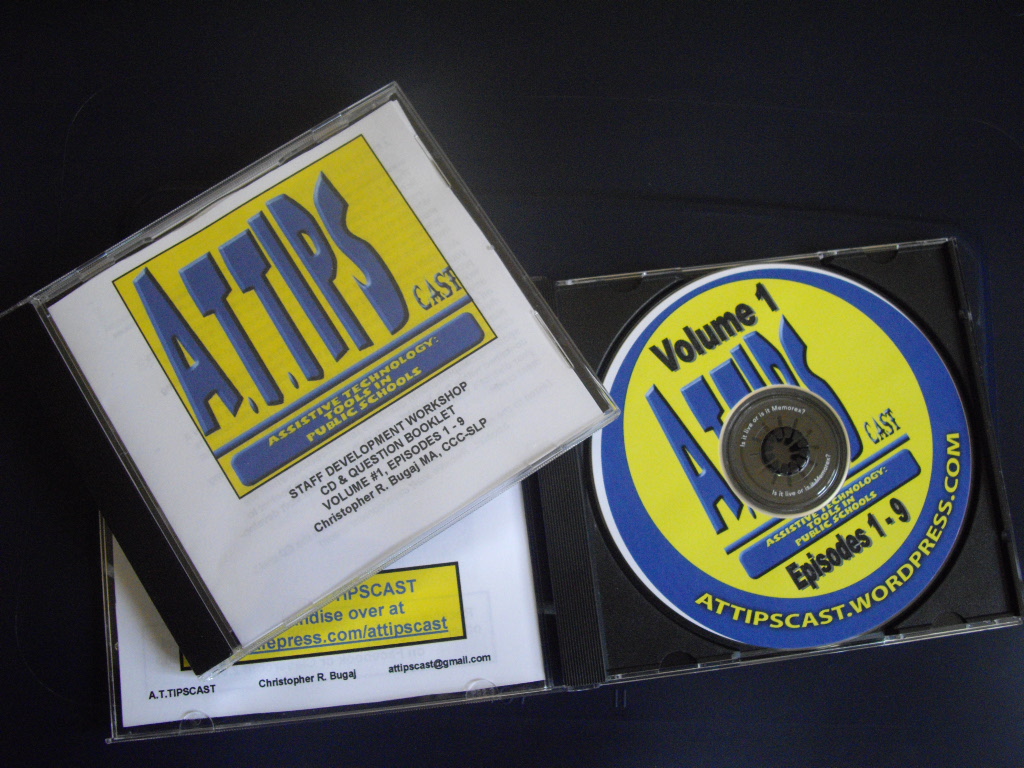


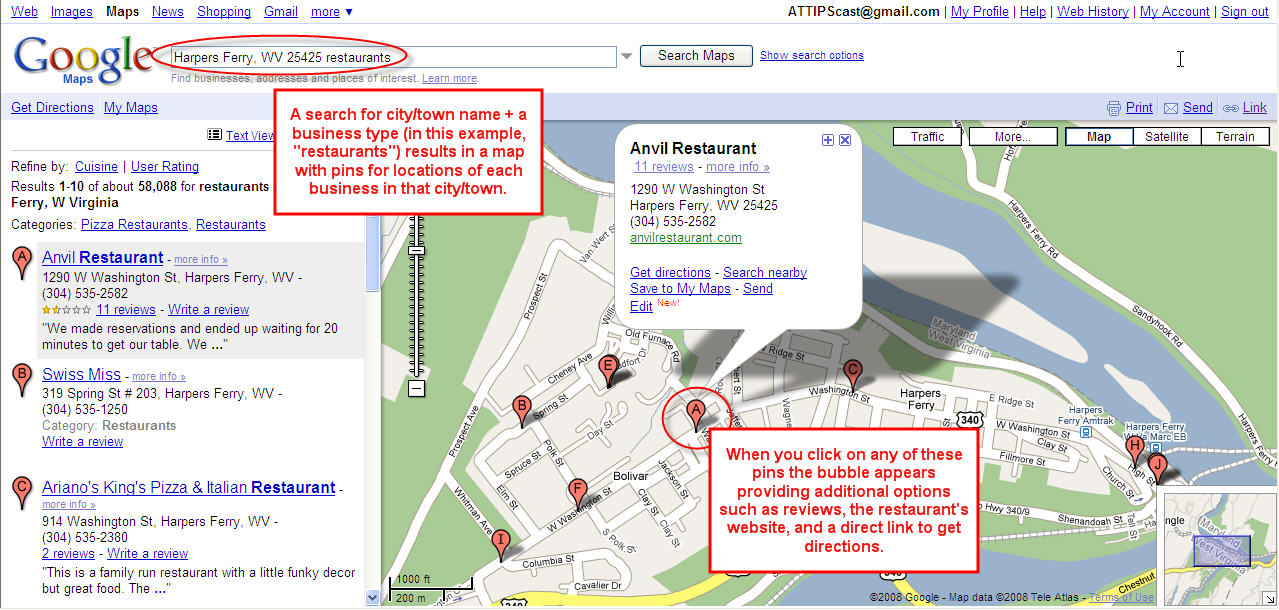
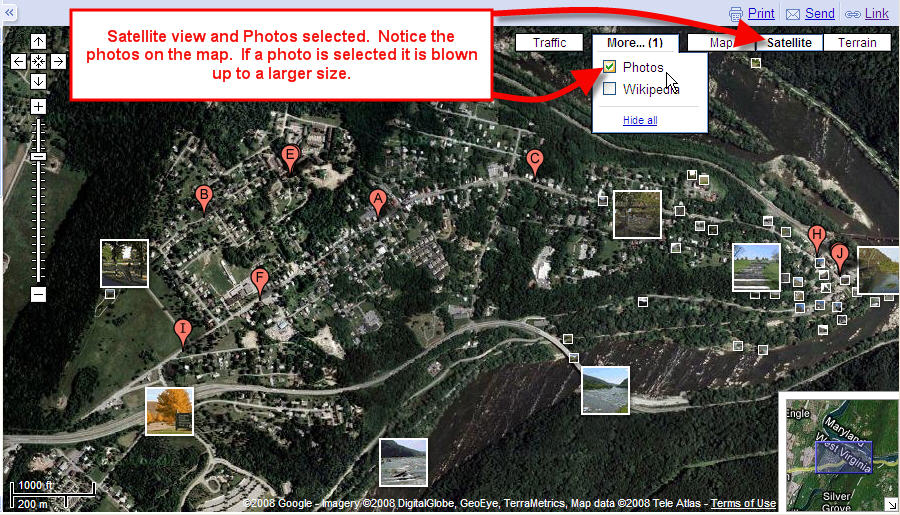

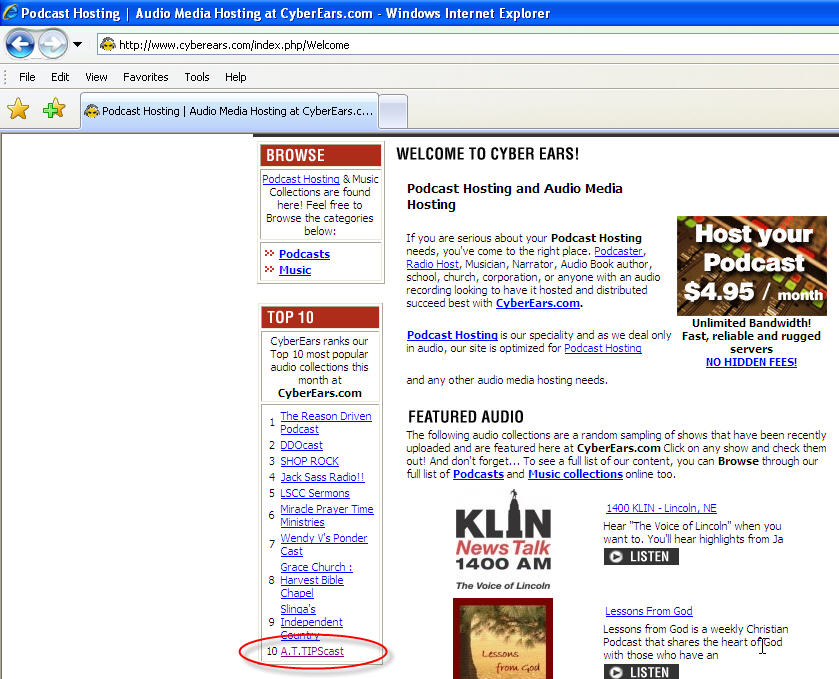


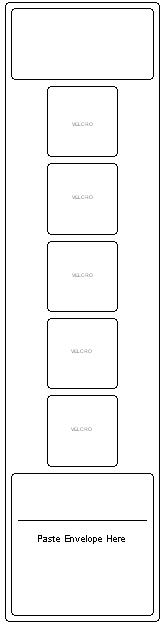

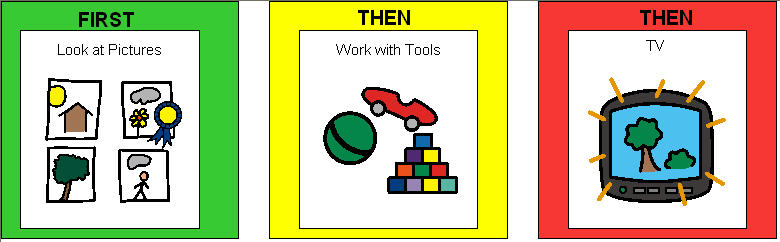


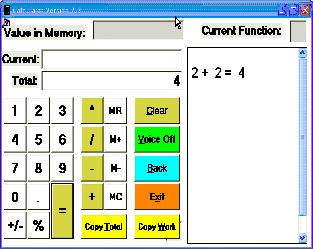


 The Compendium Blog of The A.T.TIPSCAST